

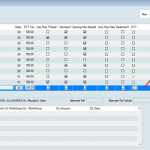
How to change a worksheet date?
It happens. It’s the new year and you think it’s still the last year, although it’s February.
Whatever the scenario, you can adjust the date of a worksheet after a worksheet has been created. The worksheet needs to be open (unposted) to change the date. If it has been unposted, you need to unpost the worksheet first. Click here for more details on how to unpost a worksheet.
ACF Blocks are not tied to metadata, meaning they can be used anywhere in WordPress, and multiple times per post.
To change a worksheet date:
- Go to Utilities>Batch Changes> Change WSheet Dates.

- Select the appropriate worksheet
- Enter the new dates in the Pay Period From and To field. The number of Mondays will be automatically calculated.

- Tick the first box if you want to change the number of Mondays for all employees. Tick the second box if you want to change the ending date for the employee’s earnings.
- Done!
1
how to die
goo goo gag ga